> ## Documentation Index
> Fetch the complete documentation index at: https://support.hexus.ai/llms.txt
> Use this file to discover all available pages before exploring further.
# Video-to-Hexus Conversion
> Hexus makes it easy to convert these into various formats including interactive tours and articles.
### **Get Started**
Video to Hexus transforms your video content into interactive, engaging experiences. Whether you have pre-recorded videos or want to capture your screen, Hexus makes it easy to convert these into various formats including interactive tours and articles.
### **Creating Your First Video Flow**
* Log in to app.usehexus.com and navigate to the Video to Hexus converter at [app.usehexus.com/video-to-flow](http://app.usehexus.com/video-to-flow)
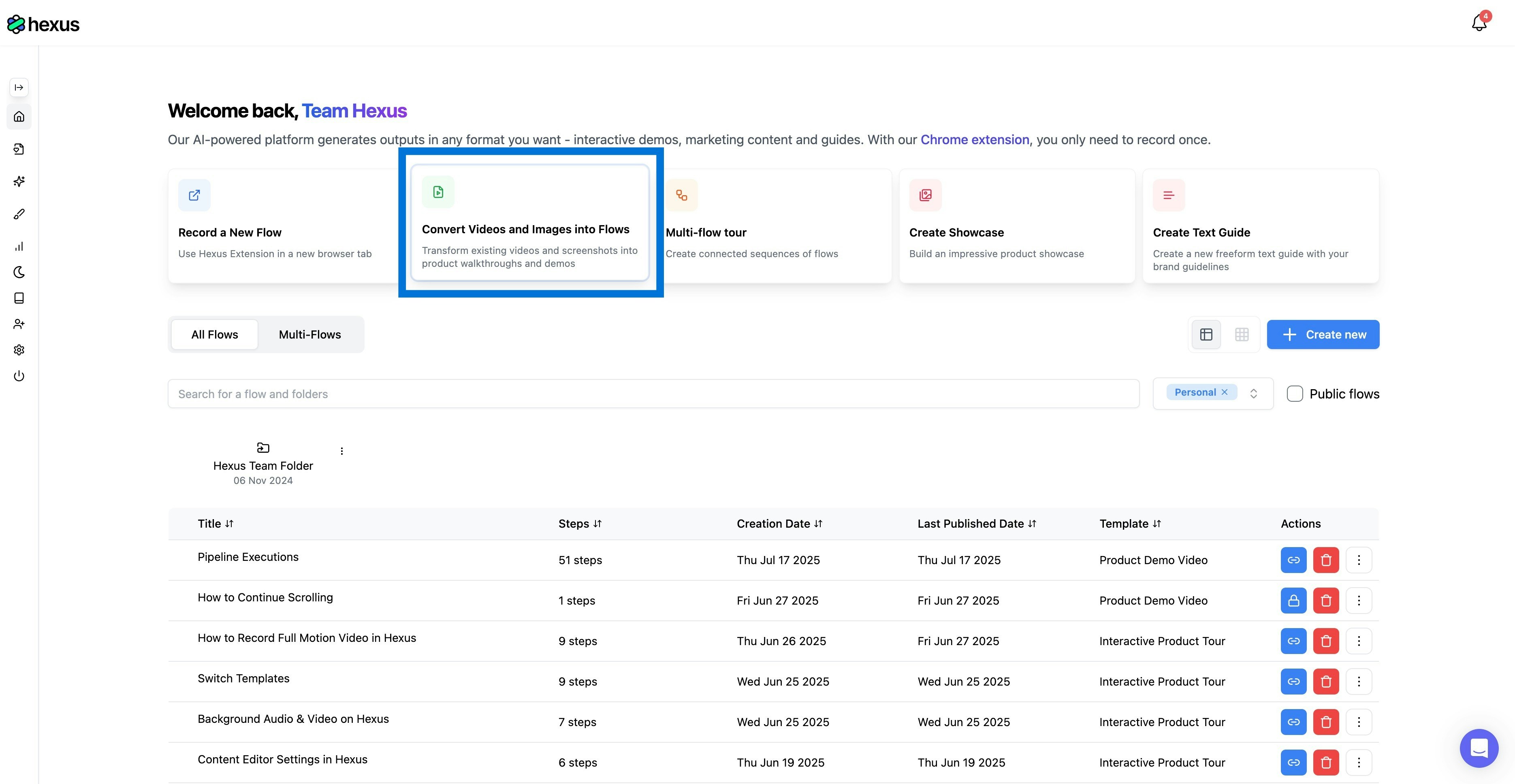 * You have three options to get started: upload an existing video file, use the screen recording feature to capture your content directly or add an existing video link.
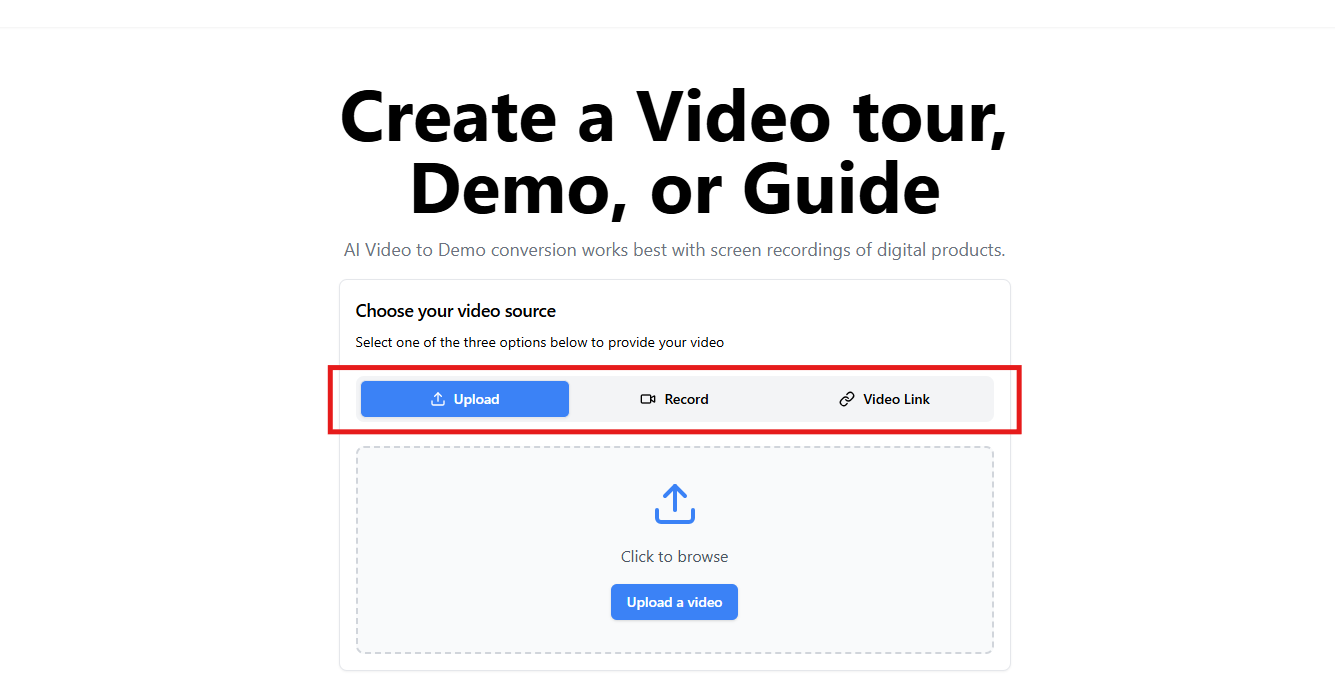 * Once your video is ready, Hexus will process it and prepare it for conversion into your chosen format
* Select your preferred output format - whether it's an interactive tour, article, or other Hexus format
* Review the converted content and make any necessary adjustments to ensure accuracy and flow
* Publish your content when ready
### **Video to Flow Features**
Hexus offers powerful features for transforming video content:
1. **Video upload support**: Upload pre-recorded videos in standard formats
2. **Screen recording**: Capture your screen directly within Hexus for immediate conversion
3. **Multiple output formats**: Convert videos into interactive tours, articles, or other Hexus formats
4. **Content editing**: Fine-tune the converted content to match your needs
5. **Format flexibility**: Choose the most suitable format for your audience
### **Applications**
Video to Flow conversion works great for:
* Product demonstrations
* Software tutorials
* Process documentation
* Training materials
* Feature walkthroughs
* User onboarding
### FAQs
Yes, you can modify the converted content to ensure accuracy and add interactive elements as needed.
Currently, each video is processed separately, but you can combine the converted content afterward.
The built-in screen recorder allows you to capture your screen directly within Hexus and immediately convert it to your chosen format.
You can go to **AI and Language Settings** and click "**Retry Video-to-Flow Conversion**" This will discard your current draft and generate a new flow, without using any additional credits.
If you need assistance with Video to Flow conversion, reach out to our support team through your Hexus dashboard or write to us at [team@usehexus.com](mailto:team@usehexus.com).
* Once your video is ready, Hexus will process it and prepare it for conversion into your chosen format
* Select your preferred output format - whether it's an interactive tour, article, or other Hexus format
* Review the converted content and make any necessary adjustments to ensure accuracy and flow
* Publish your content when ready
### **Video to Flow Features**
Hexus offers powerful features for transforming video content:
1. **Video upload support**: Upload pre-recorded videos in standard formats
2. **Screen recording**: Capture your screen directly within Hexus for immediate conversion
3. **Multiple output formats**: Convert videos into interactive tours, articles, or other Hexus formats
4. **Content editing**: Fine-tune the converted content to match your needs
5. **Format flexibility**: Choose the most suitable format for your audience
### **Applications**
Video to Flow conversion works great for:
* Product demonstrations
* Software tutorials
* Process documentation
* Training materials
* Feature walkthroughs
* User onboarding
### FAQs
Yes, you can modify the converted content to ensure accuracy and add interactive elements as needed.
Currently, each video is processed separately, but you can combine the converted content afterward.
The built-in screen recorder allows you to capture your screen directly within Hexus and immediately convert it to your chosen format.
You can go to **AI and Language Settings** and click "**Retry Video-to-Flow Conversion**" This will discard your current draft and generate a new flow, without using any additional credits.
If you need assistance with Video to Flow conversion, reach out to our support team through your Hexus dashboard or write to us at [team@usehexus.com](mailto:team@usehexus.com).